For employees
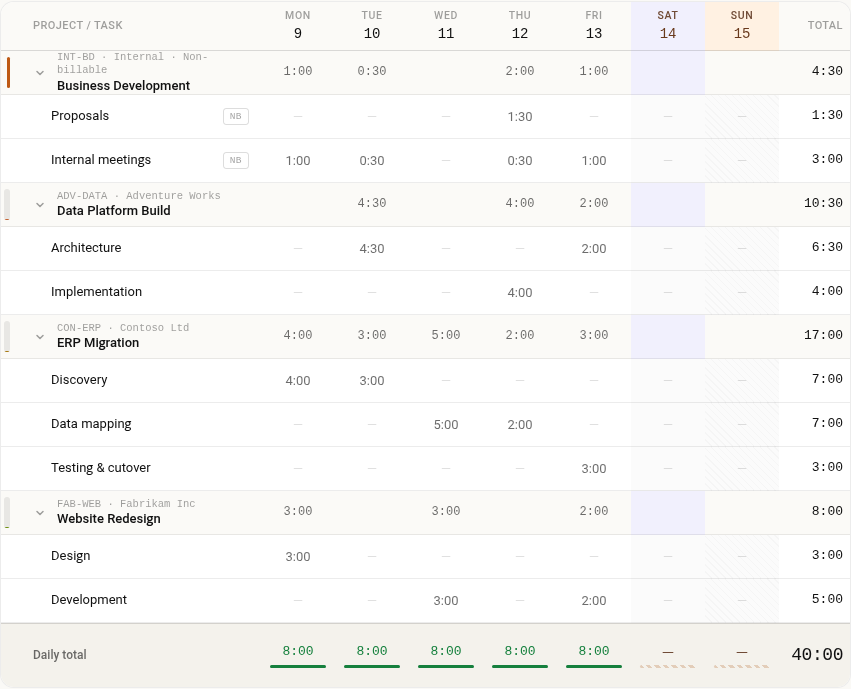
Each person sees their own week on one screen, with a row for every project and task they're on. Most weeks look like the last one, so they can copy it and adjust. When they're done, they submit the week. If they submit too early, they can pull it back before it's reviewed.
For managers
The week goes to the person's manager, the one already set in Microsoft 365, so there's no separate reporting structure to keep up to date. Managers approve it or send it back with a reason, and both sides get an email. Project leads can approve for their projects too.
For HR and finance
Holidays, daily limits and rules about notes are set once for everyone. Approved weeks stay locked. Reports and an Excel export give payroll the hours it needs.
When someone else fills it in
An assistant can log time for a busy manager once an admin allows it, and every entry shows who typed it.
Starting small? Our free SharePoint timesheet template gives you a basic list. For approvals and reports, try Timesheet for SharePoint.